
Get the most out of WaySense

Youʼve downloaded the WaySense app.
Youʼve added family members to your group.
Youʼre ready to roll, but...
where should you put your phone while driving?

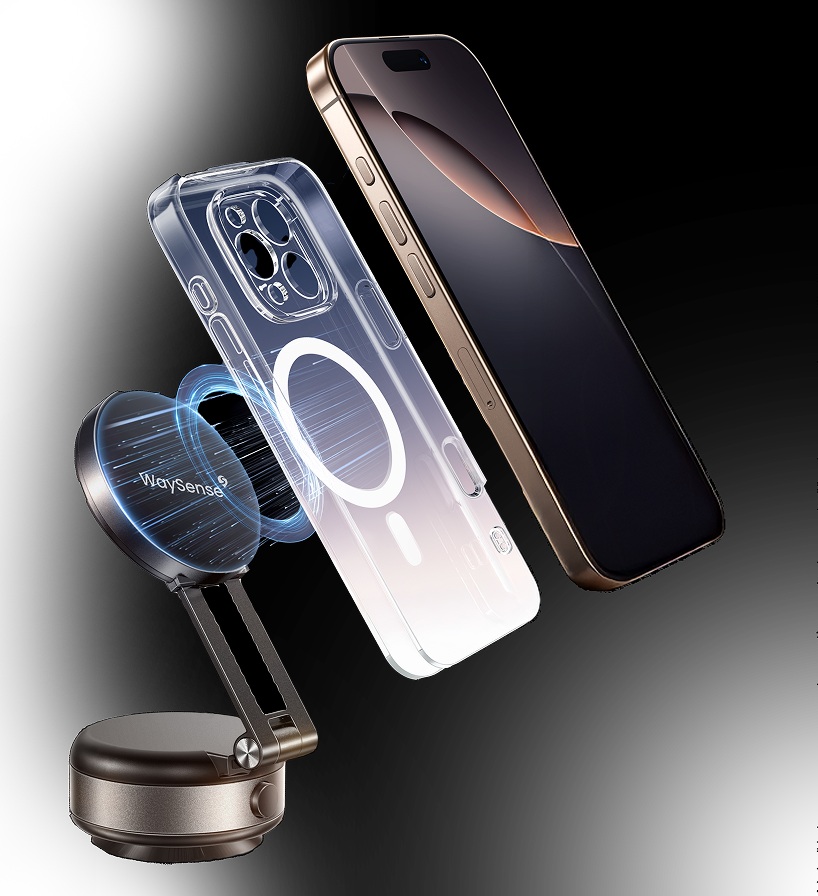
To best capture images inside and outside the vehicle - which both document trips and inform incident notifications - youʼll want to mount your phone to your dashboard or the edge of your windshield.
track driving performance
arrow

Product not found

FAQ

How do I get started?plus
Charge up your new WaySense Phone Mount using the included charging cable, find a good spot on your dashboard or windshield, and hold the base onto your chosen surface. The vacuum in the mount will automatically begin creating suction to secure itself in place. Adjust the angle and extension of the arm to where you need it. Then start up WaySense, put your phone on the mount, and be on your way!
How do I remove the mount?plus
Just press the button on the side to release the suction!
Why did the motor randomly turn on for a couple of seconds?plus
It’s just doing its thing, strengthening the suction from time to time.
How does my phone stick to the mount?plus
It’s a magnet! If your phone or case has MagSafe, it will stick to the mount without any extra help. If you don’t have a MagSafe phone or case, you can attach the provided protective buffer and magnetic ring to your phone or case. That will give the mount something to grab.
Where do I put the mount?plus
Just press the button on the side to release the suction!
How often do I need to charge the mount?plus
Not very often! The mount is good to go for weeks at a time. When the battery is below 20%, the small LED light over the charging port will flash. After you plug it in, the LED light will turn green when charging is complete.
Can I charge my phone from the mount?plus
Nope, sorry. The charging port only brings power into the mount when plugged in. It’s not a wireless charger.
How do I get my phone off the mount?plus
It’s just connected magnetically, so give it a modest pull or twist and it will come right off.

Still got questions? Hit us up!

contactus@figliotech.com